How to Choose a Memorial Photo
By Morylane Journal, the Morylane brand editorial team.
To choose a pet memorial photo, look for an expression you recognize, clear facial detail and room around the features you want to keep. Save the original file, then check it against the requirements for the piece. The photo that means most to you may still need a suitability check.
These suggestions also apply to birthday gifts and keepsakes for pets who are part of your everyday life.
Start with a photo that looks like your pet
Set aside a few candidates before editing anything. Look for the expression you recognize: the tilted head before a walk, a cat watching from a favorite chair, or a quiet face looking back at the camera.
The newest photo need not be the right one. An older image may hold a detail you would miss in a tidier portrait. If it is your only photograph, save the original and ask about suitability for the actual item rather than repeatedly altering it.
For a collection of ordinary moments rather than one portrait, try these small ways to save everyday pet memories.
Check focus and light before you crop
Compare your candidates at roughly the same display size. Look at the eyes and distinctive markings, then zoom in enough to inspect the detail. A sharp background does not help if the face is blurred. Nikon's animal portrait guidance emphasizes sharp eyes; the camera features described there are model-specific, not a requirement for submitting a photo.
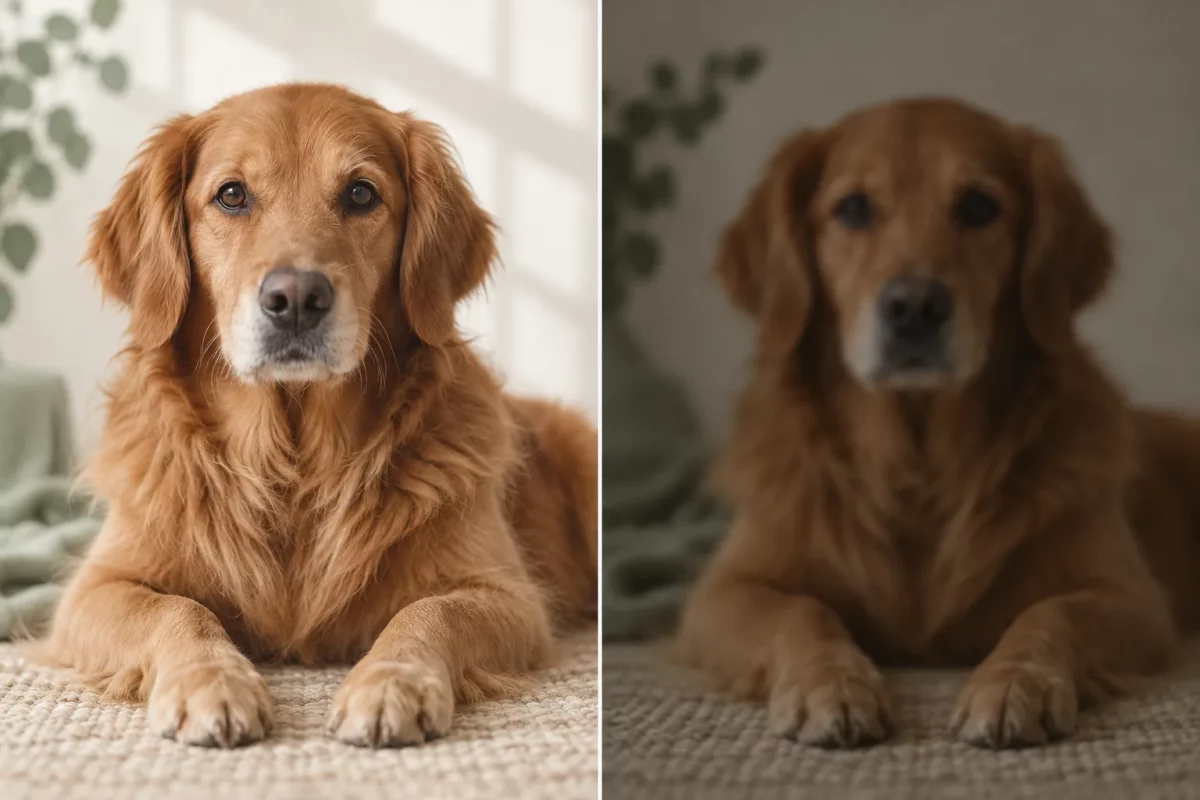
Editorial selection comparison. The right-hand example is softer and darker; the image does not show a restoration or a production-file test.
When taking a new picture, choose a comfortable spot where you can see the face clearly. Try soft window light indoors or open shade outdoors, and check the result before moving on. Nikon's pet photography tutorial describes using shade for soft reflected light.
Take a few pictures without insisting on a pose. If your pet would rather settle elsewhere, leave the session for another time. Strong filters can also change the coat color or markings you want represented. Keep an unfiltered original.
Leave room around the face and ears
Choose a photo that includes the features you want, with space around them. A crop removes part of the image; it cannot recover an ear, paw or tail that was outside the original frame.
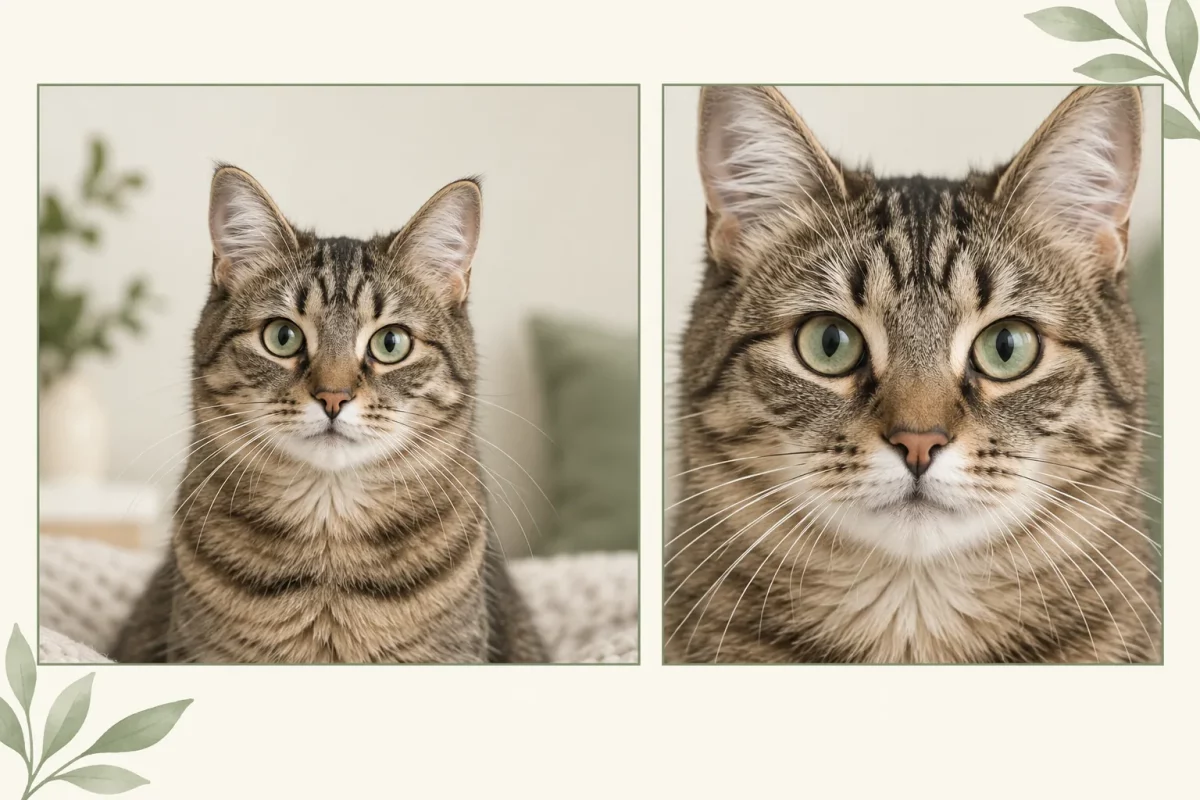
The comparison shows two framing choices. It does not show missing image detail being recreated.
Save a crop as a separate copy. If a face is already pressed against the edge, compare another image before deciding. If the garden in the background is part of the memory, keep that version. You can compare a closer crop separately for a face-focused layout.
Match the photo to the piece
The same image may raise different questions in a portrait, a frame or a blanket-style layout:
| Intended use | What to look at |
|---|---|
| Portrait-style piece | Does the angle show the expression and markings you want represented? |
| Framed photograph | Does the setting belong in the story, and does the orientation suit the visible area? |
| Blanket-style photo layout | Will the pet sit clearly within the documented image area? Is there useful detail in the original file? |
These format examples are not currently available products. Enlarging a low-detail image does not restore the detail. Use the requirements for the exact item, rather than one pixel count for every format.
You can also explore the portrait, frame and blanket collections for format ideas, and check individual listings for current availability. Our Personalization page explains the internal checking process.
Choose images for one pet or several
For one pet, choose a view where the intended subject is easy to identify. For several pets, first check whether the item allows them and whether it requests a group photograph or separate files.
If separate files are accepted, identify each pet as instructed. Do not assume that pets can be combined into a new scene, backgrounds removed or poses changed unless the listing describes that service.
A final check before you submit
Before moving to the submission stage, ask:
- Can I clearly identify the intended pet and the details that matter?
- Are the features I want inside the original frame?
- Have I kept the original separate from edits?
- Does this image suit the actual format and item requirements?
Then read Photo Guidelines for upload rules, permission and privacy checks. Review names and dates separately from the image.
Questions about information on the site can go to [email protected].